How to Use AI at Trade Shows: A Practical Guide for Sales Teams
· 10 min read
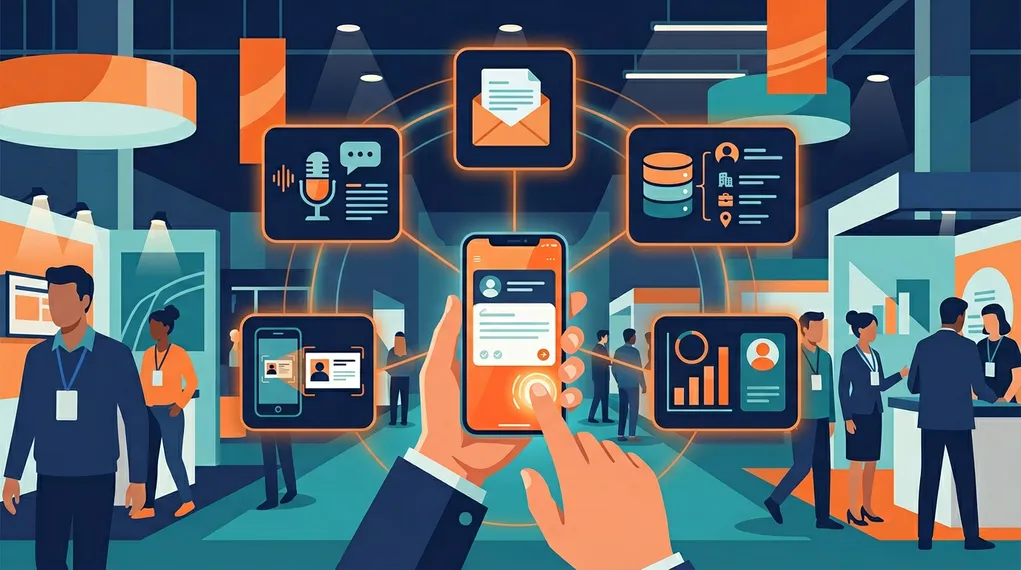
AI at trade shows is no longer a buzzword on vendor slides. It’s a set of practical, accessible tools that sales teams are using today to capture more leads, follow up faster, and convert more of their event investment into pipeline.
But the gap between “AI could do this” and “my team is actually doing this” remains wide. Most sales organizations know AI exists. Far fewer have integrated it into their event workflow in a way that changes outcomes. The problem isn’t technology — it’s knowing where AI actually adds value and how to deploy it without overcomplicating the process.
This guide covers five specific ways AI transforms trade show sales, what each replaces in the traditional workflow, and the practical impact on your team’s productivity and conversion rates.
5×
faster lead processing when AI automates capture, enrichment, and follow-up at events
NeverDrop internal data
1. OCR Badge Scanning: Instant Data Extraction
What it replaces: Manual business card data entry, typing contact details into a CRM, collecting paper cards for post-event processing.
How it works: The salesperson points their phone camera at a badge or business card. AI-powered Optical Character Recognition (OCR) extracts the text — name, title, company, email, phone, address — and populates the contact record in seconds. No typing, no transcription errors, no “I’ll enter this later” pile.
Why it matters: Manual data entry is the silent killer of event productivity. Every minute a salesperson spends typing a name and email into a form is a minute they’re not having conversations. At 30+ leads per day, that’s hours of typing. OCR eliminates this entirely.
What’s different from a basic card scanner app: AI-powered OCR doesn’t just read text — it understands structure. It distinguishes names from titles, company names from addresses, mobile numbers from fax numbers. It handles non-standard layouts, multilingual cards, and low-quality prints. For an in-depth comparison of scanning approaches, see our analysis of the best business card scanner apps for events.
The automation chain: OCR isn’t just a standalone feature — it’s the trigger for everything else. Once the contact data is extracted, the system automatically checks for missing emails (triggering enrichment), creates the lead record, and prepares the card for conversation recording and follow-up drafting. One scan initiates the entire pipeline.
2. Real-Time Conversation Transcription
What it replaces: Hastily written notes, post-meeting memory dumps, “I’ll remember the key points” optimism, and the inevitable loss of conversational nuance.
How it works: The salesperson starts a recording on their phone. AI transcription captures the full conversation in real time — not just what was said, but who said it (speaker diarization). The result is a structured transcript with each participant’s contributions clearly identified.
Why it matters: The conversation is the highest-value data point at any event. It contains the prospect’s specific pain points, their evaluation criteria, their timeline, their budget signals, their competitive context — everything a salesperson needs to write a compelling follow-up and everything a manager needs to qualify the opportunity.
Without transcription, this data lives in the salesperson’s memory for about 30 minutes before details start to fade. By the next morning, most of the nuance is gone. Written notes capture 10–20% of what was said. Real-time transcription captures everything.
Consent workflow: Recording conversations requires the prospect’s permission. The workflow is lightweight: “I’d like to capture our conversation so I can send you a really relevant follow-up — is that okay?” Consent is timestamped and stored with the lead record.
Offline resilience: Even when WiFi drops (and at trade shows, it will), the recording continues locally. The audio is saved to the device and transcribed automatically when connectivity returns. No conversation data is ever lost to a network outage. For a deep dive on how this works, see our guide on offline lead capture without WiFi.
For a deep dive on how conversation intelligence changes field sales dynamics, read our guide on conversation intelligence for field sales.
3. AI-Drafted Follow-Up Emails
What it replaces: Template-based follow-ups, “Hi [First Name], great meeting you” emails, and the agonizing choice between speed (send a template now) and quality (write a personalized email in two days).
How it works: After the conversation, AI generates a personalized follow-up email using multiple inputs: the conversation transcript, the contact data, the salesperson’s company profile, event-specific instructions, and any lead-specific notes. The draft references the actual discussion — specific pain points, features mentioned, next steps agreed upon — not generic event pleasantries.
Why it matters: The research is clear — following up within minutes of a conversation produces dramatically higher response rates than following up hours or days later. But fast follow-up has historically meant generic follow-up, because personalizing 50 emails after a long event day is impossible manually.
AI resolves this tradeoff. The draft is generated in seconds, reviewed by the salesperson in 30 seconds, and sent within two minutes of the conversation ending. The research on speed to lead shows this window is critical — the prospect receives a detailed, relevant email while the conversation is still fresh, and while every other vendor is still collecting business cards to process later.
The instruction hierarchy: AI drafts aren’t one-size-fits-all. They’re shaped by four layers of instructions: team defaults (company tone and positioning), personal style (the salesperson’s preferences), event rules (specific offers or CTAs for this event), and lead-specific notes (what to emphasize for this particular prospect). Each layer can be configured independently. Learn more about how context-based AI follow-ups convert 21× better.
4. Email Enrichment: Finding Verified Contacts
What it replaces: Manually Googling email addresses, LinkedIn stalking, email guessing tools, and the “I have a lead but no way to reach them” problem.
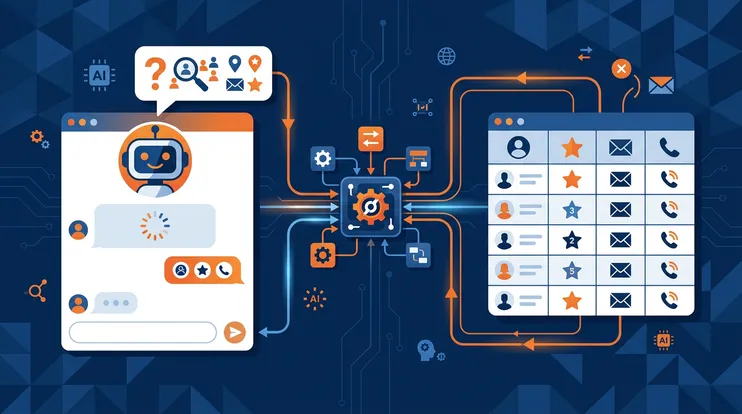
How it works: When a badge or business card doesn’t include a professional email (or includes only a personal address), AI-powered enrichment finds the verified professional email automatically. Using the person’s name and company, the system queries multiple data providers, cross-references results, and verifies deliverability before adding the email to the contact record.
Why it matters: An unreachable lead isn’t a lead. If 40% of your event contacts lack a usable email address, 40% of your pipeline is stuck before it starts. Manual email lookup takes 3–5 minutes per contact and produces unreliable results. Auto-enrichment runs in the background, completes in seconds, and delivers 95%+ accuracy.
The invisible pipeline recovery: Enrichment doesn’t feel dramatic, but it recovers a massive number of otherwise-lost opportunities. Without it, the salesperson scans a badge, finds no email, and the lead enters a “follow up manually later” list that never gets completed. With enrichment, the email appears automatically, and the AI draft can be generated and sent immediately.
Phone enrichment too: Beyond email, the same enrichment process can find verified direct dial and mobile numbers — especially valuable for senior decision-makers who respond better to warm phone calls than cold emails. For the full enrichment workflow, see our guide on email enrichment for events.
5. Lead Scoring and AI Reports
What it replaces: Subjective “hot/warm/cold” tags, inconsistent qualification across the team, manager guesswork about pipeline quality, and the post-event scramble to figure out which leads to prioritize.
How it works: After a conversation, AI analyzes the transcript across eight dimensions: timing and engagement, ICP fit, salesperson performance, buying signals, feature interest, personalized tips, meeting summary, and action items. The result is a structured report with a composite ICP score that enables objective lead ranking.
Why it matters: At the end of a 3-day trade show, a team of five salespeople has captured 200+ leads. Without structured scoring, prioritization defaults to gut feel, recency bias, or company name recognition. AI lead reports apply the same analytical framework to every conversation, producing comparable scores that let managers stack-rank the entire pipeline in minutes.
The coaching dimension: Lead reports aren’t just for qualification — they’re for team development. The Performance tab shows how each salesperson handled their conversations: discovery quality, objection handling, value articulation, next-step commitment. Managers get specific, evidence-based coaching data instead of vague “ask better questions” feedback.
From score to action: Each report generates concrete next steps tailored to the specific conversation. High-ICP leads get immediate personalized follow-ups. Medium-score leads get targeted discovery questions. Low-score leads get deprioritized without guilt. The team’s finite follow-up energy is directed where it produces the highest return. Explore the full report structure on the lead report page.
The Complete AI Workflow: Traditional vs Modern
Here’s what the full event workflow looks like with and without AI, from capture to follow-up:
| Stage | Traditional workflow | AI-powered workflow |
|---|---|---|
| Data capture | Scan badge, type notes manually (2–3 min) | Scan badge, auto-OCR (5 sec) |
| Contact data | Enter data manually, missing emails | Auto-extracted + auto-enriched (30 sec) |
| Conversation capture | Written notes post-meeting (10–20% coverage) | Real-time transcript (100% coverage) |
| Lead qualification | Subjective hot/warm/cold tag | 8-dimension AI report with ICP score |
| Follow-up drafting | Template email or manual writing (10–20 min) | AI draft from transcript context (30 sec) |
| Time to first follow-up | 24–72 hours post-event | Under 2 minutes post-conversation |
| Pipeline visibility | Delayed, incomplete, subjective | Immediate, structured, data-driven |
The cumulative time saving per lead is dramatic. Traditional workflows consume 15–25 minutes per lead (data entry + note-taking + email lookup + draft writing). AI-powered workflows consume 2–3 minutes per lead (scan + conversation + review draft + send). For a team processing 40 leads per day, that’s the difference between 10 hours of administrative work and 2 hours — freeing 8 hours for what salespeople should be doing: talking to prospects.
Implementing AI at Your Next Event
The biggest barrier to AI adoption at events isn’t technology — it’s change management. Sales teams have established workflows, and shifting from “take notes, follow up later” to “capture everything, follow up now” requires both the right tool and the right preparation.
Set up before the event
Configure your company profile, customer profiles, and default follow-up instructions. These inputs shape every AI draft and report, so investing 30 minutes pre-event dramatically improves output quality.
Brief your team on the workflow
Walk through the complete flow: scan → record → review draft → send. Make sure every team member has practiced the consent ask for recording. Run a mock capture at the office before the event.
Capture with intent during the event
Scan every badge, record every meaningful conversation, add specific instructions for important leads. The more context you feed the AI, the better the outputs — drafts, reports, and scoring all improve with richer inputs.
Review and send between conversations
AI drafts are generated in seconds but should always be reviewed. Most salespeople develop a rhythm: have a conversation, review the draft while walking to the next meeting, send with one tap. Under 2 minutes per follow-up.
Debrief with data after the event
Use AI lead reports for team debriefs instead of memory-based discussions. Stack-rank leads by ICP score. Identify which conversations produced the strongest opportunities. Feed insights into your next event strategy.
The Mindset Shift
AI at trade shows isn’t about replacing salespeople. The conversation — the human connection, the discovery, the relationship-building — remains the irreplaceable core of event sales. What AI replaces is the administrative overhead that surrounds the conversation: the data entry, the email lookup, the note transcription, the template customization, the qualification spreadsheet.
When that overhead drops from 15 minutes per lead to 2 minutes, something fundamental changes. Salespeople stop thinking of follow-up as a chore and start thinking of it as part of the conversation. The follow-up email isn’t a task for tomorrow — it’s the natural conclusion of today’s meeting, sent while the handshake is still warm.
That shift — from “event data processing” to “continuous conversation” — is what AI makes possible. And in 2026, the teams that have made this shift are consistently outperforming those still working from templates and spreadsheets.
For a comprehensive walkthrough of the complete event lead capture process, including all five AI capabilities integrated into a single workflow, see our detailed guide. You can also explore NeverDrop’s transcription capabilities or see how we compare to other tools on the market. For the operational checklist that ties all five AI capabilities into a timeline, see our trade show checklist for exhibitors.
Bring AI to your next trade show. NeverDrop handles capture, transcription, enrichment, drafting, and scoring — all in one app.
Get Started Free