Meeting Notes for Field Sales Reps: Stop Updating CRM from Memory
· 10 min read

It’s 9:17 PM. You’ve had five client meetings today. You drove 180 kilometers between them. You skipped lunch. You’re sitting on the hotel bed with your laptop open, staring at Salesforce, trying to reconstruct what happened in meeting number two.
Was it the procurement manager who mentioned the Q3 deadline, or was that meeting number three? Did the CTO say they were evaluating two alternatives or three? What was the specific objection about implementation timeline — and did you address it, or did you promise to follow up?
You type something. It’s vague. It’s incomplete. It’s wrong in two places you’ll never notice. You move on to meeting three.
This is the field sales CRM problem. It’s not a discipline problem. It’s a structural one: the workflow asks a human to remember, reconstruct, and transcribe five complex conversations at the end of an exhausting day. The result is predictable.
71%
of sales reps say CRM data entry is the most time-consuming part of their job
Salesforce — State of Sales Report
What Gets Lost
The gap between what happened in a meeting and what ends up in the CRM isn’t small. It’s massive — and it’s systematic. The same categories of information get lost every time.
Action Items
“I’ll send you the case study about the logistics implementation.” “Let me check with my engineer on the API compatibility question.” “I’ll loop in our CSM before the next call.”
These commitments are made in the flow of conversation. They’re easy to say and hard to remember. By the fifth meeting, the action items from meeting one are gone. The prospect waits. The follow-up never comes. The deal stalls — not because of product fit, but because of broken promises.
Objections and Concerns
A prospect who says “We tried something similar two years ago and it failed” is giving you the single most important piece of intelligence in the entire meeting. If you capture it, you can address it in the follow-up. If you don’t, you’ll walk into the next meeting blind — and the same objection will kill the deal.
Objections are the things reps most want to forget and most need to remember. In the hotel room at 9 PM, the instinct is to gloss over them in the CRM note. The result: the manager doesn’t see the risk, the deal forecast stays green, and everyone is surprised when it goes dark.
Buying Signals
“We’ve already set aside budget for Q4.” “The CEO is personally driving this initiative.” “We need to make a decision by September.”
Buying signals are often embedded casually in conversation. They don’t come with a label. A rep who heard the signal in the moment may not register it as significant by the evening. But for a sales manager trying to forecast accurately, these signals are gold — and they’re systematically absent from manual CRM notes.
Specific Commitments
“If you can solve the integration problem, we’ll move to a pilot in October.” “We need three references in our industry before we can proceed.” “Get me a proposal under [threshold] and I can approve internally.”
These are the if-then statements that move deals forward. Miss them, and you miss the playbook for closing.
The Cost of Incomplete CRM Data
Bad CRM data isn’t just a hygiene issue. It’s a business cost that compounds across the organization.
Managers can’t forecast: If the CRM notes don’t capture buying signals, objections, and next steps, the forecast is fiction. The pipeline review becomes a guessing game. Managers make resource and hiring decisions based on a pipeline that looks healthier than it is.
Marketing can’t segment: When CRM data lacks conversation context, marketing has no signal about which pain points resonate, which competitors are appearing, or which verticals are responding. Campaign targeting is based on firmographics alone — a fraction of the available intelligence.
Deals slip silently: A deal that goes dark because a promised follow-up never happened doesn’t look different from a deal that went dark because of poor fit. Without complete notes, the post-mortem is impossible. The same mistake repeats.
New reps start blind: When a rep leaves or an account is reassigned, the new owner inherits a CRM record full of “Good meeting. Will follow up.” and nothing else. They’re starting from zero with a prospect who already has expectations.
| Dimension | Manual CRM Notes | AI Meeting Notes (NeverDrop) |
|---|---|---|
| Time to update | 15–30 min per meeting (end of day) | Automatic — syncs during the meeting |
| Completeness | 30–40% of discussion captured | 95%+ — full conversation transcript |
| Accuracy | Subject to memory decay and bias | Verbatim transcript with speaker separation |
| Action items | Often forgotten or vaguely noted | Extracted automatically from conversation |
| Objections captured | Rarely — reps underreport objections | Always — transcript preserves everything said |
| Buying signals | Inconsistently noted | Flagged and scored in AI analysis |
| Manager visibility | Depends on rep's diligence | Full transcript and report available in real time |
| Time to CRM sync | Same day (optimistic) to never | Background sync — no manual entry |
How AI Meeting Notes Work for Field Sales
The solution isn’t asking reps to take better notes. It’s removing notes from the workflow entirely.
Here’s how it works with NeverDrop:
Record the meeting conversation
Open NeverDrop on your phone. Tap record. Set the phone on the table or keep it in your pocket. Real-time [transcription with speaker diarization](/transcribe/) captures who said what.
AI extracts the intelligence
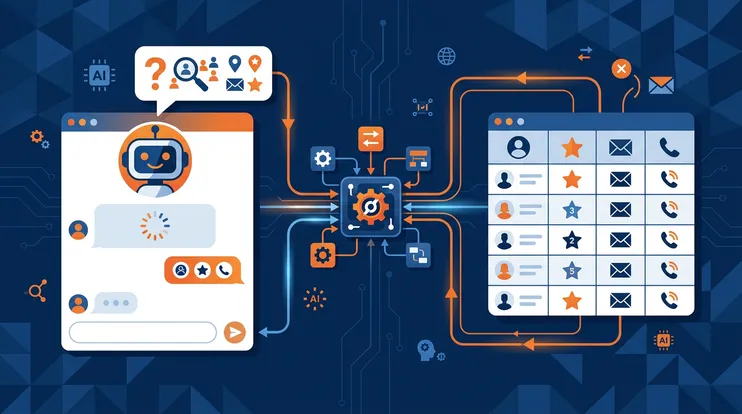
After the meeting, AI analyzes the full transcript. It identifies action items, objections, buying signals, competitive mentions, and next steps — everything a manual CRM note tries and fails to capture.
Report is generated automatically
An [AI-powered ICP report](/blog/icp_scoring_ai_lead_reports/) scores the meeting: ICP fit, buying readiness, key discussion points, and recommended next actions. The report is available immediately — not after the rep gets back to the hotel.
Follow-up is drafted from the conversation
AI drafts a [personalized follow-up email](/blog/ai_follow_up_emails_context_convert/) that references specific discussion points. The rep reviews and sends in 30 seconds — while driving to the next meeting (safely parked, of course).
CRM updates in the background
Contact data, meeting transcript, follow-up email, and AI analysis sync to HubSpot or your CRM. No manual data entry. No 9 PM hotel room CRM sessions.
The key shift is that the CRM update becomes a byproduct of the meeting, not a separate activity. The rep’s job is to have great conversations and close deals. The tool’s job is to capture, analyze, and sync everything else.
The Field Sales Meeting Workflow
For a field sales rep with five meetings a day, here’s what the workflow looks like:
Meeting 1 (9:00 AM): Arrive at client site. Open NeverDrop. Record the 30-minute meeting. Conversation is transcribed in real time. After the meeting, review the AI-drafted follow-up in the parking lot. Send. Drive to meeting two.
Meeting 2 (11:00 AM): Same workflow. The follow-up email references the specific discussion — “You mentioned the packaging line upgrade is blocked by the integration question. Here’s our approach…”
Meeting 3 (1:30 PM): Quick lunch meeting. Shorter conversation, but the same capture process. The prospect’s objection about implementation timeline is preserved verbatim in the transcript.
Meeting 4 (3:00 PM): Factory tour with the operations team. Multiple speakers. Diarization separates the plant manager’s comments from the procurement lead’s questions. Both are captured.
Meeting 5 (5:00 PM): Wrap-up call at the prospect’s office. The AI report scores this as the hottest opportunity of the day — the buying signals were strong, the timeline is tight, and the decision-maker was in the room.
9:00 PM: The rep opens their laptop. The CRM is already updated. Five meetings, five transcripts, five follow-ups sent, five AI reports generated. Nothing to reconstruct from memory. No data entry. No “Good meeting. Will follow up.”
What Changes for the Sales Manager
For the rep, AI meeting notes save time and eliminate the 9 PM CRM session. For the sales manager, they change everything.
Real Pipeline Visibility
Instead of relying on the rep’s self-reported assessment (“The meeting went well, they seem interested”), the manager has the full transcript and an AI-generated ICP score. They can see exactly what the prospect said — the buying signals, the objections, the competitive landscape — and form their own assessment.
This is the field sales equivalent of what conversation intelligence platforms provide for video calls. The same level of visibility, applied to the conversations that generate the most revenue.
Coaching From Real Data
A manager who reads the transcript of a field meeting can identify coaching opportunities that are invisible from CRM notes alone. “I notice you didn’t ask about their decision process in any of the five meetings this week — let’s work on that.” This is specific, evidence-based coaching that’s impossible without conversation data.
Accurate Forecasting
When every meeting has a transcript, an ICP score, and identified buying signals, the forecast is built on evidence instead of vibes. The deals marked as “likely to close” actually have the data to support that assessment. The deals with unresolved objections get flagged before they stall.
For a broader look at how conversation data improves CRM data quality at trade shows and field meetings, see our CRM data guide. And for how AI analysis produces the ICP scoring and reports that transform raw transcripts into actionable intelligence, explore the reporting features. For the end-to-end event workflow from capture through close, see the complete guide to event lead capture.
The Real Objection: “My Clients Won’t Like Being Recorded”
This is the most common pushback — and it deserves a direct answer.
First, recording conversations is legal in most jurisdictions with single-party or all-party consent (know your local laws). Second, the recording is for your team’s benefit — to provide better follow-up and more accurate service. Third, the simplest approach is transparency: “Mind if I record our conversation? I want to make sure I capture everything so I can follow up properly.”
In practice, most prospects say yes. Many appreciate it — it signals that you take the conversation seriously enough to get the details right. The alternative — a rep who forgets half of what was discussed and sends a generic follow-up — is worse for everyone.
For teams that capture voice notes instead of full recordings, the same intelligence can be captured in a 30-second post-meeting dictation. Either way, the goal is the same: preserve the conversation intelligence that manual notes systematically lose.
27%
average CRM data completeness for field sales interactions
Gartner — Sales Operations Survey
27% completeness means 73% of what happened in your most valuable conversations is invisible to the organization. AI meeting notes close that gap — not by asking reps to work harder, but by removing the work entirely.
Getting Started
For field sales teams ready to stop updating CRM from memory:
- Install NeverDrop on every rep’s phone — the setup takes two minutes
- Record the next five meetings — full conversations or post-meeting voice notes
- Review the AI reports — compare them to what would have been in the CRM note
- Let the CRM sync run — contact data, transcripts, and follow-ups flow to HubSpot automatically
The reps who try it for one week don’t go back. The 9 PM hotel room CRM session was never productive — it was just the only option they had.
Your field meetings deserve better than CRM notes from memory. Record, transcribe, and sync automatically with NeverDrop.
Try NeverDrop Free