The Complete Guide to Event Lead Capture in 2026
· 12 min read
Events remain the highest-intent channel in B2B sales. Prospects fly across the country, walk a show floor for hours, and stop at your booth because they have a real problem they want solved. No other marketing channel delivers that level of buying intent.
Yet most companies waste it. The average exhibitor captures hundreds of leads and converts almost none of them into pipeline. Not because the leads are bad — because the capture-to-close process is broken at every stage.
80%
of trade show leads never receive any follow-up
CEIR — Center for Exhibition Industry Research
This guide covers everything: what event lead capture actually means in 2026, how the technology has evolved, the five methods available today, how to build a complete capture-to-CRM pipeline, and what to measure so you can prove ROI. Whether you’re a first-time exhibitor or a seasoned event team, this is the reference you’ll come back to.
What Is Event Lead Capture?
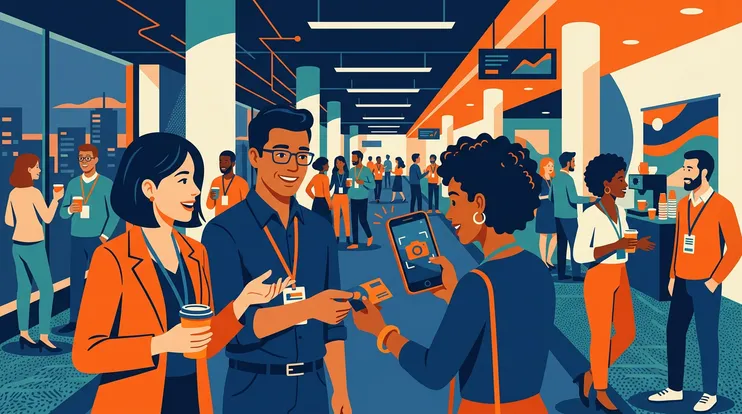
Event lead capture is the process of collecting contact information, qualifying data, and conversation context from prospects you meet at trade shows, conferences, networking events, and field meetings — then converting that raw data into actionable pipeline.
The key phrase is “actionable pipeline.” Scanning a badge and exporting a CSV isn’t lead capture — it’s data collection. True lead capture extends from the first interaction to the moment the lead is qualified, followed up with a personalized message, and synced to your CRM with full context.
Most teams optimize for the first step (scanning) and neglect everything that follows. That’s why the 80% stat exists: leads are collected but never activated.
The Evolution: Paper to Digital to AI
Understanding where the market is heading requires understanding where it’s been.
Phase 1: Paper (pre-2010) — Fishbowls of business cards. Handwritten notes on the back. Manual data entry post-event. Loss rate: astronomical. Context retention: near zero.
Phase 2: Digital capture (2010–2020) — Badge scanners, QR codes, mobile apps with form fields. Data went from paper to digital, but the process was still batch-oriented: collect all day, process later. Context was limited to dropdown fields (“Hot / Warm / Cold”) that nobody filled in accurately.
Phase 3: Connected capture (2020–2024) — CRM integrations, real-time sync, team dashboards. Data reached the CRM faster, but still without conversation context. The follow-up was still template-based because the tools captured who the prospect was but not what they said.
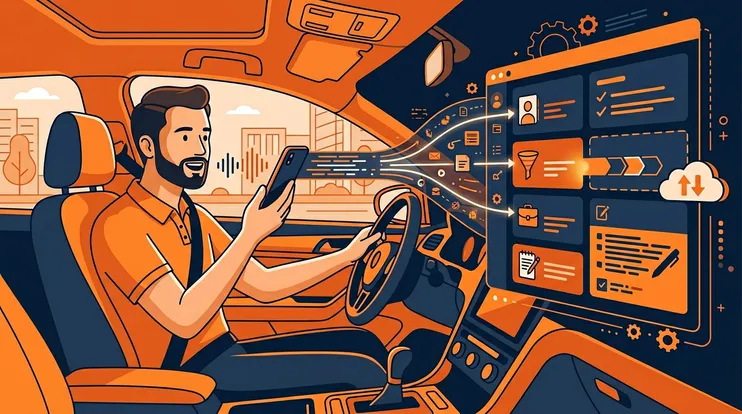
Phase 4: AI-powered capture (2024–present) — The current generation combines badge scanning with conversation transcription, AI-generated follow-ups, automatic enrichment, and CRM sync. The shift isn’t just technological — it’s structural. Instead of “capture now, process later,” the workflow becomes “capture, qualify, and follow up in one motion.”
Five Methods of Event Lead Capture
Not all capture methods are equal. Here’s how they compare.
| Method | Speed | Context | Automation | Offline | Cost |
|---|---|---|---|---|---|
| Paper forms / fishbowls | Slow | Minimal | None | ✓ | Low |
| Badge scanners (event-provided) | Fast | None | Low | — | Per-event fee |
| NFC / QR card exchange | Fast | None | Low | ✓ | Low |
| Mobile lead capture apps | Fast | Form fields | Medium | — | Subscription |
| AI-powered capture (scan + voice + AI) | Fast | Full conversation | High | ✓ | Pay-per-use |
Paper Forms and Fishbowls
Still surprisingly common. A bowl at the booth, a stack of business cards, maybe a clipboard with a sign-up sheet. The advantage: zero tech dependency. The disadvantage: everything else. Cards get lost, handwriting is illegible, data entry takes hours, and there’s no conversation context whatsoever.
Badge Scanners (Event-Provided)
Most trade shows offer badge scanning through the organizer (via Cvent, CrowdCompass, etc.). The scanner reads the barcode on the attendee’s badge and returns the registration data. It’s fast and standardized, but you’re limited to whatever the attendee entered during registration — which is often incomplete. No conversation context, no custom fields, and the data is locked in the organizer’s platform until you export it post-event.
NFC and QR Card Exchange
Digital business cards (Blinq, Popl, HiHello) use NFC taps or QR scans to share contact info. These tools are elegant for networking but limited for lead capture at scale. They’re designed for sharing your info, not for capturing and qualifying someone else’s.
Mobile Lead Capture Apps
Apps like iCapture, Leadature, or Momencio provide badge scanning, custom forms, and basic CRM integration. These are a step up from paper and event scanners — you get custom qualifying fields, team collaboration, and faster data export. But most still treat capture and follow-up as separate phases. See our honest comparison of the best trade show lead capture apps for a detailed breakdown.
AI-Powered Capture
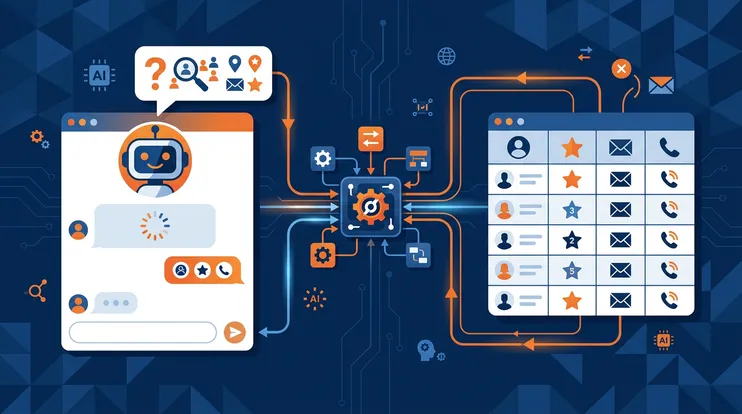
The newest category combines multiple inputs — badge/card scanning, voice recording and transcription, AI enrichment, AI-drafted follow-ups, and automatic CRM sync — into a single workflow. Instead of capturing data now and processing it later, the entire pipeline runs in real time. NeverDrop is built around this approach: scan, record, let AI draft and send, sync to CRM — all before the next prospect walks up.
The Full Lead Capture Pipeline
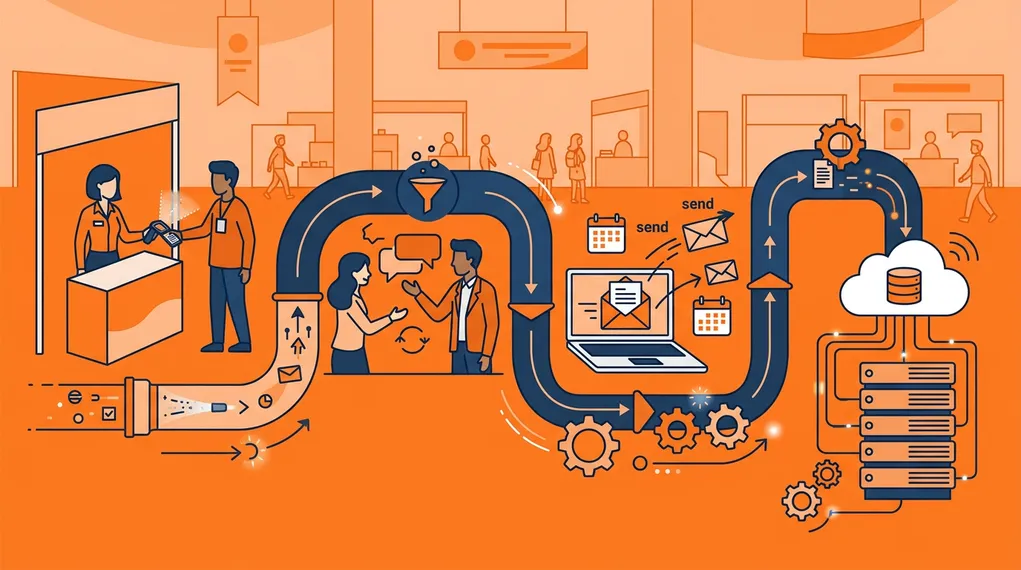
Regardless of which method you use, every event lead must pass through the same pipeline. Where most teams fail isn’t at capture — it’s at the transitions between stages.
Capture
Collect contact information (badge scan, card scan, manual entry) and conversation context (voice notes, transcription, qualifying fields). The goal: enough data to send a personalized follow-up. The biggest mistake: capturing contact data without context.
Enrich
Fill in the gaps. Email enrichment, phone number lookup, LinkedIn profile matching, company data. Enrichment turns a partial record into a complete contact. AI-powered tools do this automatically after the scan.
Qualify
Not every badge scan is a real opportunity. Qualifying means tagging the lead with warmth (hot / warm / cold), ICP fit, and priority. The best qualification data comes from the conversation itself — which is why transcription matters more than form fields.
Follow up
Send a personalized message within minutes — not days. The follow-up should reference what was actually discussed, not just the prospect's name and company. This is the stage where 80% of leads die, and it's the stage where AI makes the biggest difference.
Sync to CRM
The lead, the conversation context, the follow-up email, and the qualification data all need to reach your CRM automatically. If any of these steps require manual work, they won't happen consistently. Automatic sync to HubSpot, Salesforce, or Pipedrive closes the loop.
Each stage is a potential drop-off point. Paper forms drop leads at capture. Badge scanners drop them at enrichment (no email on the badge) — which is why automatic email enrichment is a critical step. Manual follow-up drops them at stage four. CSV exports drop them at CRM sync. The teams that maximize event ROI are the ones that automate the transitions.
How to Choose a Lead Capture Method
The right method depends on your team size, event volume, and sales process. Here’s a decision framework.
Solo exhibitor at 1–2 events per year — A mobile lead capture app is sufficient. Badge scanning, basic notes, CSV export. The volume is low enough that manual follow-up is feasible.
Team of 2–5 at 5+ events per year — You need team collaboration, shared lead visibility, and some automation. A connected capture app with CRM sync saves significant post-event time.
Team of 5+ at 10+ events per year — At this scale, manual follow-up is unsustainable. You need AI-powered capture with automatic enrichment, AI-drafted follow-ups, and real-time CRM sync. The volume of leads makes the traditional “process later” approach structurally impossible. For pricing details and how NeverDrop scales, see our pricing page.
Enterprise with 50+ reps across global events — Everything above, plus role-based access, assignment rules (round-robin or manual), event-level instructions, and centralized reporting. The capture tool must integrate into your existing tech stack (CRM, marketing automation, data warehouse). GDPR compliance also becomes critical at this scale. For a side-by-side comparison of how the top tools stack up, see our tool comparison page.
Best Practices for Event Lead Capture
After working with hundreds of event teams, these are the practices that separate high-performing exhibitors from the rest.
1. Capture Context, Not Just Contacts
The single most impactful change you can make is to capture what was discussed, not just who you talked to. A name and email with no context produces a generic follow-up. A name, email, and 30-second voice note about their specific challenge produces a follow-up that gets a reply.
2. Follow Up the Same Day
Research is unequivocal: response time is the single biggest predictor of lead conversion. Following up within five minutes produces 21× higher conversion rates than waiting 30 minutes. For a detailed workflow on how to follow up in under two minutes, see our step-by-step guide.
3. Assign Leads in Real Time
Don’t wait until after the event to figure out who owns which lead. Assign leads at capture — either automatically (round-robin) or manually (the rep who had the conversation). This eliminates the post-event “who talked to whom?” scramble.
4. Use Event-Specific Instructions
Your follow-up tone and content should match the event. A message after a medical device trade show should sound different from one after a SaaS conference. Configure event-specific instructions so AI drafts match the context.
5. Prepare a Checklist Before the Event
The best capture happens when the team is aligned before the first badge is scanned. Define qualifying criteria, agree on follow-up timing, test the tools, and brief every team member. For a complete trade show preparation checklist, see our planning guide.
6. Test Offline Before You Go
If your capture tool doesn’t work offline, you’ll discover it at the worst possible moment. Test the full workflow — scan, record, draft, sync — with airplane mode enabled before the event. For a deeper look at offline lead capture and why trade show WiFi fails, see our dedicated guide.
7. Debrief as a Team
After the event, review the data: how many leads captured, how many followed up same-day, response rates, pipeline created. Use this to improve the process for the next event.
What to Measure
Event ROI is notoriously hard to calculate because the data lives in silos. Here are the metrics that matter — and how to track them.
Leads captured — Total badges/cards scanned. This is the baseline. If you’re not capturing at scale, nothing downstream matters.
Same-day follow-up rate — What percentage of leads received a follow-up within 24 hours? Within one hour? Within five minutes? This is the strongest leading indicator of event ROI.
Response rate — What percentage of follow-up emails received a reply? Context-based follow-ups typically see 15–25% response rates vs. 2–5% for templates.
Pipeline created — How many leads progressed to qualified opportunity within 30 days? This is the metric your CFO cares about. AI-powered lead reports can help score ICP fit and identify the highest-value opportunities faster.
Cost per qualified lead — Total event investment (booth, travel, sponsorship, tools) divided by qualified leads. This lets you compare events against each other and against other channels.
CRM coverage — What percentage of captured leads made it into the CRM with full context (not just a name)? If this number is below 90%, you have a sync problem.
The Biggest Mistake: Treating Capture and Follow-Up as Separate
The fundamental error most event teams make is treating lead capture as a collection problem and follow-up as a marketing problem. They optimize the badge scanner, then hand off a spreadsheet to marketing and hope for the best.
The teams that win treat capture-to-close as a single continuous workflow. The same tool that captures the badge also records the conversation, drafts the follow-up, sends the email, and syncs to the CRM. No handoffs, no CSV exports, no “we’ll process these next week.”
That’s what NeverDrop is built to do: collapse the entire pipeline into a workflow that takes less than two minutes per lead, works offline, and ensures that no lead is ever lost between the handshake and the follow-up.
Frequently Asked Questions
Event lead capture is the process of collecting contact information and conversation context from prospects you meet at trade shows, conferences, and networking events. Modern tools use AI-powered OCR, voice recording, and automatic enrichment to replace manual business card entry.
The most effective method combines AI-powered badge or card scanning with voice context recording. This captures both the contact data and the conversation details needed for personalized follow-up. Look for tools that work offline and integrate with your CRM.
A well-prepared team of 3-4 reps can realistically capture 50-100 qualified leads per day at a busy trade show. The key metric isn't volume — it's follow-up rate. Capturing 50 leads and following up with all of them beats capturing 200 and losing most.
Research shows leads contacted within 5 minutes of a conversation convert up to 21× better than those contacted after 30 minutes. Ideally, send a personalized follow-up while still at the event — the same day at minimum.
No. The best lead capture apps work fully offline — scanning cards, recording conversations, and storing data locally. Everything syncs automatically when connectivity returns. This is critical because trade show WiFi is notoriously unreliable.
Capture, qualify, follow up, and sync — all in one workflow. Try NeverDrop free.
Get Started Free