Trade Show Lead Scoring: How to Prioritize Your Follow-Ups
· 9 min read

You leave a three-day trade show with 150 leads. Your team is energized. The conversations were promising. The next step should be simple: follow up.
But who do you follow up with first?
Without a scoring system, every lead looks the same in a spreadsheet — a name, a company, an email address. The VP who described a specific budget and timeline is indistinguishable from the student who wanted a free pen. Both are “leads.” Both get the same follow-up. And that’s where conversion rates collapse.
61%
of B2B marketers send all leads to sales — only 27% are actually qualified
MarketingSherpa — Lead Generation Benchmark Report
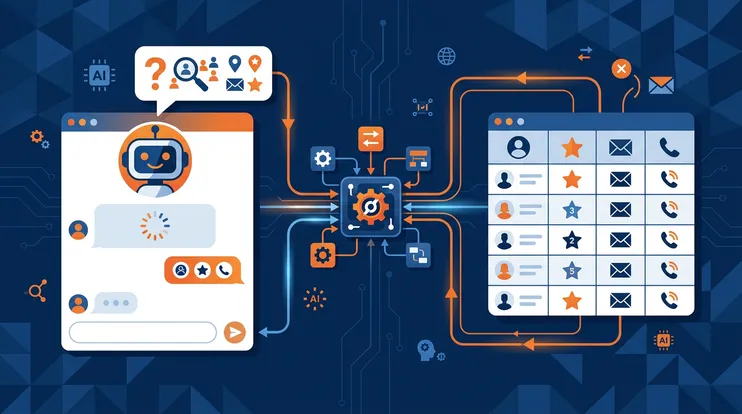
Lead scoring at events isn’t optional — it’s the difference between a team that converts 5% of their trade show leads and one that converts 25%. This article covers manual scoring frameworks, the limitations of subjective assessment, and how AI-powered scoring changes the equation.
The Problem with Equal Treatment
Trade shows create a volume problem that office-based lead generation doesn’t. In a typical week, a sales rep might handle 10–15 new leads from inbound channels. At a three-day trade show, that same rep captures 30–50 leads per day.
When everything is urgent, nothing is urgent. The rep returns to the office, opens the spreadsheet, and starts at the top — alphabetically, or by the order they were captured. The VP with budget authority gets the same Tuesday morning email as the intern who was killing time between sessions.
This isn’t laziness. It’s the predictable outcome of a system that doesn’t distinguish between leads. Without scoring, the follow-up sequence is arbitrary — and arbitrary follow-up is the primary reason most event leads never convert.
Manual Scoring Criteria
Before automation, lead scoring at events meant the rep made a judgment call — usually a quick note on the back of a business card or a mental rating. The most common manual criteria:
Decision-Maker Level
Is this person a decision-maker, an influencer, or an information gatherer? A C-suite executive exploring solutions for a specific problem is worth more immediate attention than a junior analyst doing competitive research.
Timeline
Did the prospect mention a specific timeline? “We’re evaluating vendors this quarter” is fundamentally different from “We might look at this next year.” Timeline signals urgency, and urgency determines follow-up priority.
Budget
Budget discussions at trade shows are rare — prospects don’t usually disclose budget at a booth. But indirect signals are everywhere: “We just got approval to solve this,” “Our current contract expires in June,” or “We’ve already talked to three other vendors.” These imply active buying.
Pain Fit
Does the prospect’s described problem match your solution? A perfect product-problem fit with a midlevel manager may be more valuable than a vague conversation with a VP. Pain fit is the strongest predictor of eventual conversion.
Engagement Level
How long was the conversation? Did the prospect ask detailed questions? Did they request a demo? Did they bring a colleague? Engagement depth is a proxy for genuine interest — and it’s often the most reliable scoring signal at an event.
The Problem with Subjective Scoring
Manual scoring works when one experienced rep captures 10 leads. It breaks when five reps capture 150 leads across three days.
The fundamental issue is consistency. Different reps score differently. What one rep calls “hot,” another calls “warm.” One rep marks every extended conversation as high-priority; another only flags prospects who explicitly asked for a proposal. There’s no shared rubric, no calibration, and no way to compare scores across reps.
| Dimension | Manual Scoring | AI Scoring (NeverDrop) |
|---|---|---|
| Consistency across reps | Low — subjective, varies by rep | High — same criteria applied to every lead |
| Data captured | Quick notes, memory-dependent | Full conversation transcript + contact data |
| Time to score | 30–60 seconds per lead (at the event) | Automatic — generated from transcript |
| Scoring dimensions | 3–4 mental criteria | 8+ dimensions (ICP fit, buying signals, pain match) |
| Manager visibility | Relies on rep's self-report | Full report viewable by any team member |
| Bias | Recency bias, halo effect, fatigue | No subjective bias |
| Scalability | Degrades at 50+ leads | Consistent at any volume |
The result is that the post-show lead list is a jumble of inconsistent ratings, incomplete notes, and gut feelings. The sales manager can’t trust the scores. The marketing team can’t segment accurately. And the most valuable leads don’t surface to the top.
Scoring Frameworks That Work
If you’re going to score leads manually — or if you want to calibrate your team before adopting AI scoring — you need a framework. Three options, from simple to comprehensive:
Hot / Warm / Cold
The simplest framework. Every lead gets one of three labels immediately after the conversation.
- Hot: Decision-maker with an active need, timeline, and budget. Follow up same-day.
- Warm: Genuine interest, some buying signals, but no immediate timeline. Follow up within 48 hours.
- Cold: Informational interest only, early-stage research, or poor fit. Include in nurture sequence.
This works for small teams (1–3 reps) at single-day events. It breaks at scale because “warm” becomes a catch-all for everything between obvious and worthless.
BANT Scoring
Budget, Authority, Need, Timeline — the classic B2B qualification framework, adapted for events.
Score each dimension 0–3 based on signals from the conversation. A prospect who mentioned budget approval (B=3), is the department head (A=3), described a specific pain (N=3), and said “this quarter” (T=3) scores 12/12. A prospect who was vague on all four scores 4/12.
BANT works well for teams that sell to enterprise buyers with formal procurement processes. It’s less useful for SMB or product-led sales where budget and authority are less distinct.
Custom ICP Scoring
The most powerful approach: define your ideal customer profile and score each lead against it. ICP scoring goes beyond BANT to include:
- Company fit: Industry, company size, geography, tech stack
- Role fit: Seniority, department, decision-making authority
- Pain fit: How closely the described problem matches your solution
- Timing fit: Active evaluation vs. future interest
- Engagement quality: Conversation depth, questions asked, demo requests
Custom ICP scoring requires more setup but produces the most accurate prioritization. It’s also the foundation for AI-powered scoring — the algorithm needs to know what your ideal customer looks like. For a deep dive into how ICP scoring translates to actionable reports, see our guide on ICP scoring with AI lead reports.
How AI Scoring Changes the Game
The problem with every manual framework is that it depends on the rep’s memory, judgment, and diligence. AI scoring removes all three bottlenecks by working from the raw data: the conversation transcript.
Here’s how it works with NeverDrop:
Capture the conversation
The rep records the conversation with the prospect. Real-time transcription with speaker diarization produces a structured transcript — who said what, in order.
AI analyzes the transcript
After the conversation, AI reads the full transcript alongside contact data, company information, and your ICP criteria. It identifies buying signals, pain points, objections, and competitive mentions.
ICP report is generated
An ICP scoring report is produced with weighted dimensions: company fit, role fit, pain match, buying readiness, and engagement quality. Each dimension gets a score and an explanation.
Leads auto-sort by priority
Your lead list is now ranked by ICP score. Hot leads surface to the top. Warm leads cluster in the middle. Cold leads fall to the bottom. No manual sorting required.
The key insight is that AI scoring works from the actual conversation, not from the rep’s summary of the conversation. A rep might forget that the prospect mentioned a competing vendor. The transcript doesn’t forget. A rep might downplay a “maybe next quarter” signal. The AI catches it and scores it.
What AI Scoring Catches That Humans Miss
Buying signals embedded in questions: When a prospect asks “How does this integrate with Salesforce?” they’re revealing their tech stack and implying they’re evaluating integration feasibility. A human might note “asked about integrations.” AI scores it as a concrete buying signal.
Pain intensity from language: “We’ve been struggling with this for months” vs. “It would be nice to improve this someday” — the pain level is dramatically different, but both get classified as “interested” in a manual note.
Competitive intelligence: A prospect mentioning two competitors by name is a strong signal that they’re in active evaluation. Reps often forget to note competitor mentions. The transcript preserves them.
Consistency of messaging: Across 50 conversations, AI can identify which pain points appeared most frequently, which objections recurred, and which market segments showed the strongest fit — intelligence that’s invisible when scoring happens one lead at a time.
Scoring in Practice: Before and After
Before scoring: A team returns from a trade show with 120 leads. They export the list, sort by company size (a rough proxy for value), and start calling from the top. Three weeks later, they’ve contacted 60% of the list. Conversion rate: 4%.
After scoring: The same team uses AI scoring from conversation transcripts. The 120 leads are automatically ranked. The top 25 (hot) get same-day follow-ups from the event floor — because speed to lead data shows that even a few hours of delay cuts response rates in half. The next 40 (warm) get personalized emails by day three. The bottom 55 (cold) enter a nurture sequence. Conversion rate: 18%.
The difference isn’t magic. It’s prioritization. The highest-intent leads get the fastest, most personalized attention. The lowest-intent leads don’t waste sales time.
4.5×
higher conversion rate when scored leads are followed up in priority order vs. unsorted lists
Forrester — Lead Scoring and Prioritization Impact Study
Connecting Scoring to Your Follow-Up Playbook
Lead scoring isn’t a standalone activity — it’s the engine that powers your post-trade show follow-up playbook. Without scoring, day 1 is chaos: everyone is working from the same unsorted list. With scoring, day 1 is structured: hot leads are already being followed up with AI-drafted emails that reference the actual conversation, warm leads are queued for days 2–3, and cold leads are routed to marketing.
For teams preparing for their next trade show, building a scoring framework should be part of the pre-event playbook — not something improvised after the event.
Getting Started
If you don’t have a scoring system today, start simple:
- Define “hot”: What combination of signals means immediate follow-up? Write it down. Share it with the team.
- Capture conversation context: You can’t score what you didn’t record. Use NeverDrop’s conversation capture and reporting features to ensure every conversation is transcribed. For the full capture-to-score workflow, see our complete guide to event lead capture.
- Generate ICP reports: Let AI score the conversation against your ideal customer profile. Use the ICP scoring report to prioritize automatically.
- Calibrate weekly: After each event, review the scores vs. outcomes. Did the hot leads convert? Were any warm leads misclassified? Adjust your criteria.
The teams that win at trade shows don’t have bigger booths or better swag. They have a system that identifies the best leads and gets to them first.
Score your trade show leads automatically with AI-powered ICP reports. Prioritize follow-ups based on what was actually said — not memory.
Try NeverDrop Free