Best HubSpot Lead Capture App for Trade Shows in 2026
· 8 min read
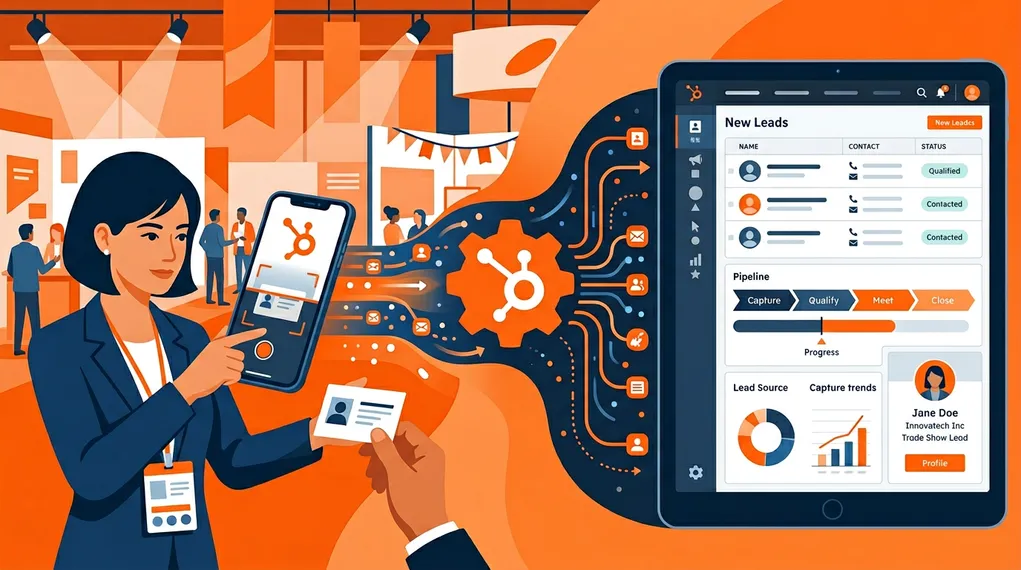
You’ve built your sales pipeline in HubSpot. Your team lives in it — deals, contacts, companies, tasks, sequences. So when you attend a trade show, the one thing that matters is getting event leads into HubSpot quickly, accurately, and with enough context to actually work them.
This sounds simple. It isn’t.
Most event lead capture tools treat CRM sync as an afterthought — a CSV export that someone manually imports a week later. Others offer a basic integration that creates a Contact record and calls it done. But HubSpot’s data model is richer than that. You have Contacts, Companies, Deals, Owners, custom properties, lifecycle stages, and lead statuses. If your capture tool doesn’t understand that model, you’re doing double work.
This article compares the leading options for HubSpot-native event lead capture in 2026: what each tool syncs, what it misses, and which one fits your workflow.
What HubSpot Teams Actually Need From Event Lead Capture
Before comparing tools, let’s define what “HubSpot-compatible” actually means for a trade show lead capture app. It’s not just about syncing a Contact record.
Contact Creation and Deduplication
At a minimum, the app should create a HubSpot Contact from the scanned badge or business card. But it also needs to check if that Contact already exists. Duplicate records are one of the biggest CRM hygiene problems for event-heavy teams. The app should match on email and update existing records rather than creating duplicates.
Company Association
A Contact without a Company is an orphan in HubSpot. The app should either create the Company record or associate the Contact with an existing Company. This is where most “HubSpot integrations” stop — they create the Contact and ignore the Company entirely.
Deal Creation
Your sales team doesn’t follow up on Contacts — they follow up on Deals. If the app doesn’t create a Deal tied to the Contact and Company, your reps have to manually create one for every lead. With 50+ leads per event, that’s hours of admin work.
Owner Assignment
HubSpot’s Contact and Deal owners drive notifications, task queues, and reporting. If the app syncs leads but doesn’t set the Owner field, the leads land in HubSpot with no assignment — and no one gets notified to act.
Conversation Context
The HubSpot timeline is where reps track all interactions. If the app captures a conversation transcript or follow-up email, that context should appear in HubSpot as a note, email, or activity — not buried in a third-party dashboard your team never checks.
The Contenders
Here’s a brief overview of each tool before the detailed comparison.
HubSpot Mobile App (Built-in Card Scanner)
HubSpot’s own mobile app includes a business card scanner. It uses OCR to read the card and creates a Contact in HubSpot directly. It’s free for all HubSpot users and natively integrated (obviously).
What it does well: Zero friction for existing HubSpot users. Scans a card, creates a Contact. No third-party app needed.
What it misses: The scanner handles business cards only — no badge scanning. There’s no conversation capture, no AI follow-up, no enrichment, and no Deal creation from the event context. It creates a Contact and that’s it. For a team scanning 5 cards at a networking dinner, it’s fine. For a team processing 50+ leads at a trade show, it falls short.
iCapture
iCapture is an event lead capture platform built around official badge scanning integrations (Cvent, CrowdCompass). It’s popular with large exhibitors at major trade shows and has a HubSpot integration.
What it does well: Strong badge scanning at events that use supported registration platforms. Reliable data capture at high-volume booths.
What it misses: The HubSpot integration creates Contacts but has limited Company and Deal automation. No conversation transcription, no AI-generated follow-ups. Focused on data collection, not post-event intelligence. Annual contracts with per-event pricing.
Popl
Popl is a digital business card and lead capture platform. It offers NFC-based contact sharing and a HubSpot integration for event lead capture.
What it does well: Clean consumer UX for exchanging contact info. Quick setup. The HubSpot integration pushes captured contacts into your CRM.
What it misses: Popl’s lead capture is secondary to its digital business card product. Limited event-specific features — no conversation capture, no AI follow-up, no badge scanning. The HubSpot sync is basic: Contact creation without Company, Deal, or Owner mapping.
NeverDrop
NeverDrop is a field sales intelligence platform that covers trade shows, client meetings, networking events, and prospecting. It has a deep HubSpot integration that syncs Contacts, Companies, Deals, and Owners.
What it does well: Full pipeline from badge/card scan to CRM sync — including conversation transcription, AI-drafted follow-ups, contact enrichment, and ICP reports. The HubSpot integration creates and updates Contacts, Companies, and Deals with proper Owner assignment. Conversation context and follow-up emails are attached to the Contact timeline.
What it misses: Not designed for official badge integrations with specific event platforms (Cvent, CrowdCompass). Focused on the sales rep’s workflow, not booth-level analytics or gamification.
HubSpot Integration Depth: Side-by-Side
| HubSpot Feature | HubSpot Mobile | iCapture | Popl | NeverDrop |
|---|---|---|---|---|
| Contact creation | ✓ | ✓ | ✓ | ✓ |
| Contact deduplication | ✓ | ✓ | — | ✓ |
| Company creation/association | ✗ | — | ✗ | ✓ |
| Deal creation | ✗ | ✗ | ✗ | ✓ |
| Owner assignment | ~ (creator only) | — | ✗ | ✓ |
| Custom property mapping | ✗ | ✓ | ✗ | ✓ |
| Lead warmth / lead status | ✗ | ✗ | ✗ | ✓ |
| Conversation notes on timeline | ✗ | ✗ | ✗ | ✓ |
| Follow-up email on timeline | ✗ | ✗ | ✗ | ✓ |
| Badge scanning | ✗ | ✓ | ✗ | ✓ |
| Business card scanning | ✓ | — | — | ✓ |
| Conversation transcription | ✗ | ✗ | ✗ | ✓ |
| AI-drafted follow-up emails | ✗ | ✗ | ✗ | ✓ |
| Offline mode | — | — | — | ✓ |
| Pay-per-use pricing | ✓ (free) | ✗ | — | ✓ |
The gap widens as you move down the table. Basic Contact creation is table stakes. The differentiator is what happens after the Contact exists: enrichment, conversation context, follow-up automation, and full CRM object mapping.
Why CRM Sync Depth Matters
It’s tempting to think that a basic HubSpot integration is “good enough.” Create the Contact, let the rep handle the rest. But the numbers tell a different story.
80%
of trade show leads never receive a follow-up email
CEIR — Center for Exhibition Industry Research
That 80% failure rate isn’t because reps are lazy. It’s because the post-event workflow has too many manual steps: create the Contact, create the Company, create the Deal, assign an Owner, write a follow-up, update the lifecycle stage. Multiply that by 50 leads and it’s a full day of CRM admin — work that most reps simply skip.
When the capture app handles the full sync — Contact, Company, Deal, Owner, conversation notes, follow-up email — the rep’s only job is to review and approve. The CRM is populated in minutes, not days. For the full walkthrough of automatic sync — including deduplication, company association, and timeline linkage — see our guide to syncing trade show leads to HubSpot automatically.
The NeverDrop HubSpot Workflow
Here’s what the full workflow looks like with NeverDrop’s HubSpot integration:
Scan the badge or business card
NeverDrop's AI-powered OCR extracts name, company, title, email, phone, and LinkedIn from the badge or card. Contact enrichment fills in any missing fields.
Record the conversation
Live transcription captures the booth conversation with speaker identification. The rep can also add voice-dictated notes with specific instructions.
AI drafts the follow-up
Using the conversation transcript, contact data, customer profile, and instructions, NeverDrop generates a personalized follow-up email. The rep reviews and sends — directly from the app.
Sync to HubSpot
One tap pushes everything to HubSpot: Contact (created or updated), Company (created or associated), Deal (created with event context), Owner (set to the assigned rep). The conversation transcript and sent follow-up appear on the Contact timeline.
The entire flow — from badge scan to HubSpot sync — takes under two minutes. And it works offline: data queues locally and syncs automatically when connectivity returns.
Choosing the Right Tool for Your HubSpot Stack
Choose HubSpot Mobile if:
- You attend small networking events (under 10 contacts per event)
- You only need basic card scanning with Contact creation
- Budget is zero and you already have a HubSpot seat
- Post-event manual CRM cleanup is acceptable
Choose iCapture if:
- You exhibit at large trade shows that use Cvent or CrowdCompass
- Official badge scanning integration is a hard requirement
- Your team has a dedicated ops person to handle data cleanup and CRM import
- You’re comfortable with annual contracts and per-event pricing
Choose NeverDrop if:
- You need Contacts, Companies, Deals, and Owners synced automatically
- Conversation context and follow-up emails should appear on the HubSpot timeline
- Your team attends multiple events and needs a portable solution
- Offline reliability is essential (convention center WiFi is unreliable)
- Pay-per-use pricing fits better than annual contracts
- GDPR compliance and EU data hosting are requirements
Beyond Trade Shows
One underappreciated advantage of NeverDrop for HubSpot teams is that it works beyond trade shows. Client meetings, networking dinners, factory visits — any face-to-face interaction where you capture a contact and a conversation can flow into HubSpot through the same pipeline.
This means your HubSpot data isn’t limited to what happens on Zoom calls and inbound forms. Field interactions — which account for 60% of B2B revenue in many industries — finally have a path into your CRM.
For a broader comparison of event lead capture tools (beyond HubSpot-specific features), see our honest comparison of the best trade show lead capture apps. For the full event workflow from capture to close, see the complete guide to event lead capture. For details on NeverDrop’s full field sales features, visit the product page. For pricing, visit our pricing page.
Get trade show leads into HubSpot — with context, deals, and follow-ups. Not just a Contact record.
Connect HubSpot Free