Transcribe Any Call on Your Mac
Free, Local, Open Source. NeverDrop records both sides of your Zoom, Teams, or Meet calls and transcribes them in real time, with speaker labels. No bot joins. No cloud upload. No account needed. 100% on-device, powered by Apple AI.
Open source · Works with Zoom, Teams, Meet, FaceTime, Discord, and any app
Requires macOS 15+. Apple Silicon = MacBook Air/Pro 2020+, iMac 2021+, Mac Mini 2020+.
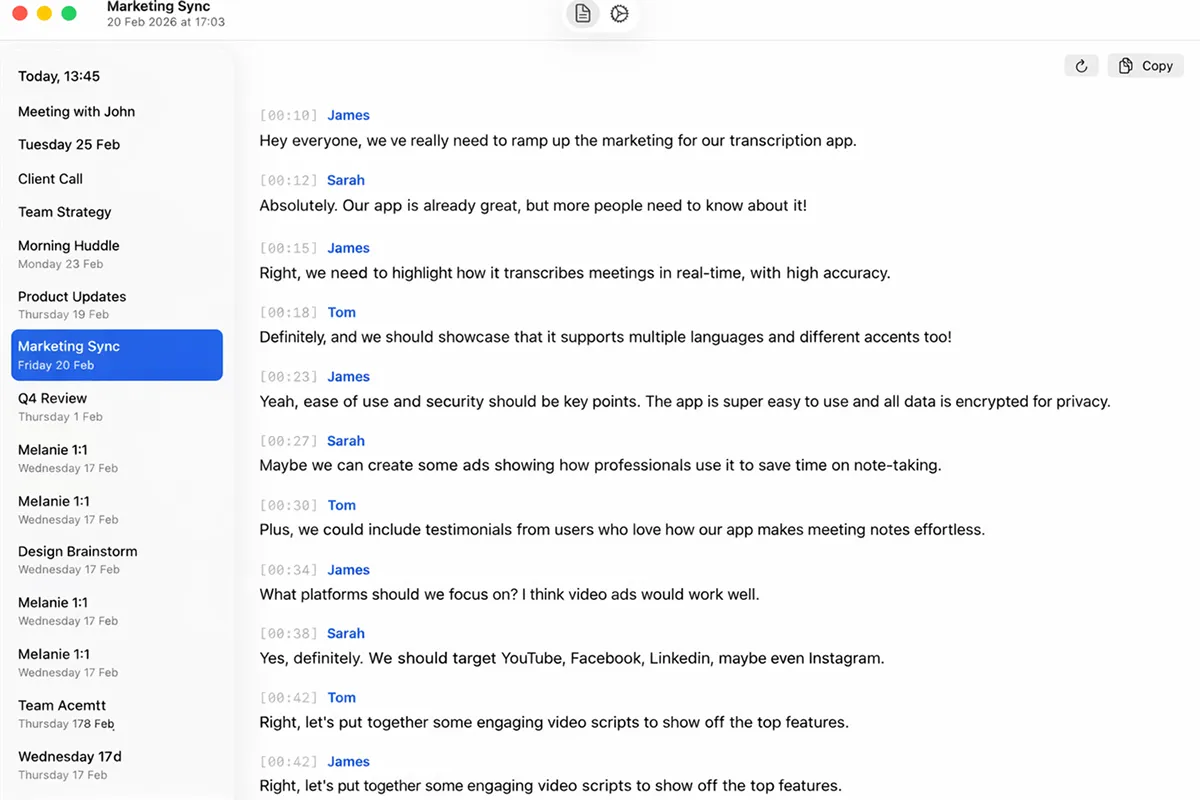

Works with every app that uses audio
 Zoom
Zoom  Google Meet
  Microsoft Teams
  FaceTime
  Discord
  Slack
Slack  Phone Calls
 How It Works - 3 Steps - Under a Minute
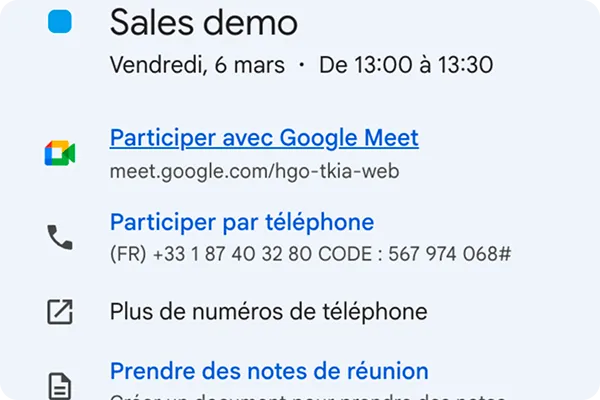
Start any call
NeverDrop runs silently in your menu bar. When any app activates your microphone - Zoom, Teams, FaceTime, anything - it detects the call automatically.
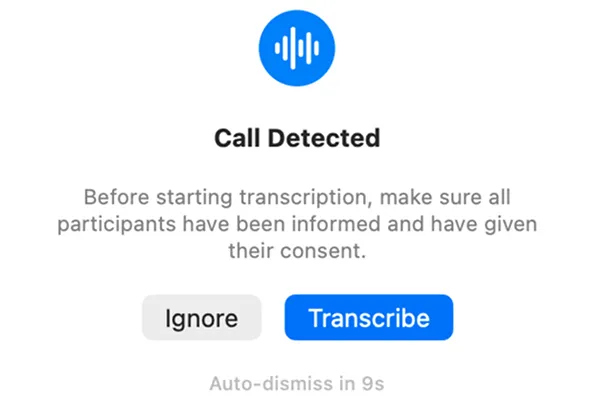
One click to transcribe
A small consent prompt appears. Click 'Transcribe' and NeverDrop captures both your voice and the other participants - no bot joins the meeting.
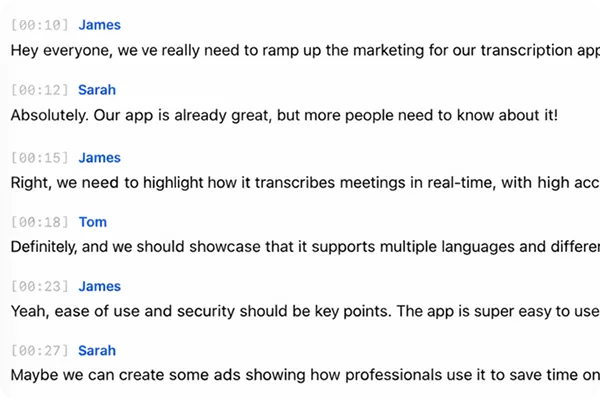
Read your transcript
Get a timestamped, speaker-labeled transcript. See who said what. Copy it, search it, or pick up right where you left off.
Download NeverDrop Transcribe — It's Free
Why Teams Choose NeverDrop Over Cloud Transcription Tools
Everything you need to capture meetings - nothing you don't
100% Local with WhisperKit
On Apple Silicon, transcription runs entirely on-device using WhisperKit and Apple's Neural Engine. Your audio never leaves your Mac. No internet, no account, no cloud - just your Mac's own AI chip.
No Bot Joins Your Meeting
Captures audio at the macOS system level using CoreAudio. Other participants never see a recording notification from a third-party bot.
Speaker Diarization
Automatically labels who said what. Your voice is labeled by name; remote participants are identified as Speaker 1, Speaker 2, etc. Rename them anytime.
Works with Any App
Zoom, Google Meet, Microsoft Teams, FaceTime, Discord, Slack, phone calls - if it uses your mic, NeverDrop can transcribe it.
8+ Languages
English, French, Spanish, German, Italian, Portuguese, Japanese, Chinese, and auto-detection.
Session Resume
Call dropped? New call with the same person within 30 minutes? NeverDrop offers to continue the same transcript.
Free and Open Source
Apache-2.0-licensed. No account. No subscription. No usage limits. Inspect the code, contribute, or fork it.
OpenAI Cloud (BYOK)
Bring your own OpenAI API key for cloud-powered transcription using gpt-4o-transcribe. Higher accuracy and built-in speaker diarization on the system audio channel. Works on both Apple Silicon and Intel Macs.
Soniox Real-Time (BYOK)
Bring your own Soniox API key for real-time streaming transcription via WebSocket. Native speaker diarization, low-latency results, and excellent accuracy - ideal for long calls and multi-speaker meetings.
NeverDrop vs Alternatives
Most meeting transcription tools upload your audio to the cloud and require a bot to join your call. Built-in transcription from video providers locks you into a single app and a paid plan. NeverDrop is the only open-source alternative that runs entirely on your Mac.
| Feature | NeverDrop | Transcription Tools | Video Conferencing | ||||||
|---|---|---|---|---|---|---|---|---|---|
| Otter.ai | Fireflies.ai | tl;dv | Granola | Tactiq | Zoom | Teams | Meet | ||
| No bot joins your call | |||||||||
| Local processing | Partial | ||||||||
| No bot visible to participants | |||||||||
| Works with any app | Chrome only | Zoom only | Teams only | Meet only | |||||
| Works with phone calls | |||||||||
| No account required | |||||||||
| Free transcription | Unlimited | 300 min/mo | Limited | Limited | 25 notes/wk | 10 trans./mo | Paid plan | Paid plan | Paid plan |
| Open source | |||||||||
Built for macOS with Privacy-First Architecture
Frequently Asked Questions About NeverDrop Transcribe
Yes. NeverDrop Transcribe is completely free and open source under the Apache-2.0 license. There are no usage limits, no account required, and no premium tier. You can also inspect and modify the source code on GitHub.
Yes. NeverDrop works with any application that uses audio on your Mac, including Zoom, Microsoft Teams, Google Meet, FaceTime, Discord, Slack, and regular phone calls. It captures audio at the macOS system level, so it is not limited to specific apps.
No. NeverDrop captures audio directly from your Mac's audio system using CoreAudio. No bot or third-party participant joins your call. Other participants are not notified by the app.
Not on Apple Silicon. With the default WhisperKit engine, transcription runs entirely on your Mac using Apple's Neural Engine - no data leaves your computer. On Intel Macs, or if you want higher accuracy, you can use OpenAI or Soniox cloud providers by adding your own API key (BYOK). The cloud options require an internet connection.
NeverDrop shows a consent prompt before every recording. It is your responsibility to inform all participants and obtain their consent, as required by local laws. The app is designed to support compliance, not bypass it.
NeverDrop works on both Intel and Apple Silicon Macs running macOS 15 or later. Local transcription with WhisperKit requires Apple Silicon (M1 or later) as it relies on the Neural Engine. On Intel Macs, you can use the OpenAI or Soniox cloud transcription providers by bringing your own API key.
With WhisperKit (local, Apple Silicon), accuracy is comparable to OpenAI's Whisper base model - great for most meetings. For higher accuracy and better speaker separation, you can plug in your own OpenAI API key (uses gpt-4o-transcribe with built-in diarization) or your own Soniox API key (real-time streaming with native diarization). Both cloud options are BYOK - you pay only for what you use, directly to the provider.
NeverDrop offers three transcription engines. WhisperKit runs 100% locally on Apple Silicon Macs using Apple's Neural Engine - no internet required, completely private. OpenAI uses gpt-4o-transcribe via your own API key for higher accuracy and built-in speaker diarization. Soniox uses real-time WebSocket streaming via your own API key for low-latency transcription with native speaker diarization. You choose your provider in settings.
Download NeverDrop Transcribe for Mac
Free. No account. No signup. Just download and start transcribing.
Star us on GitHub